A pattern or a password, never your face
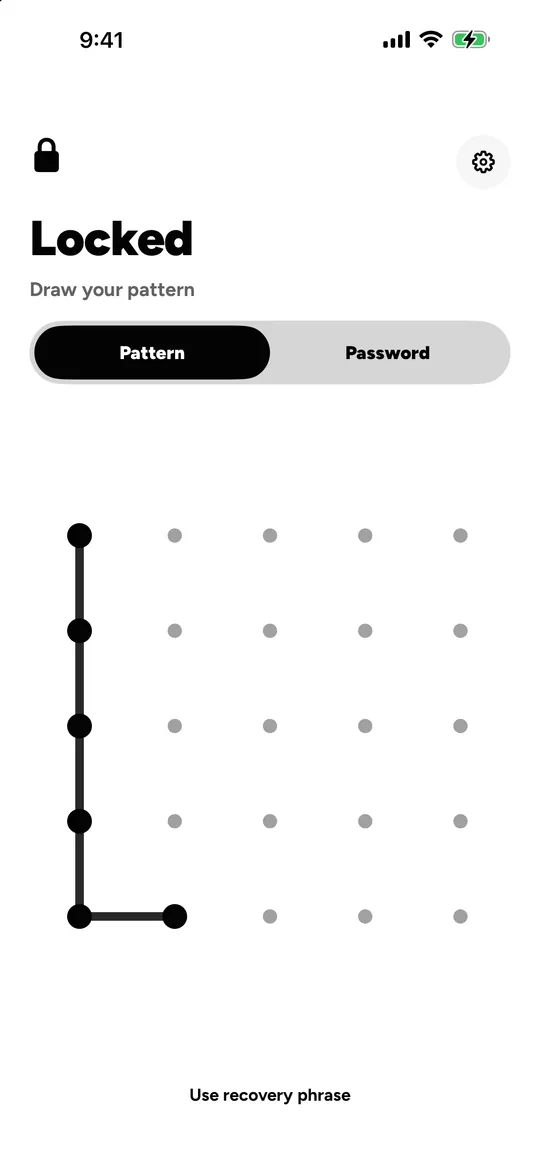
Each vault in Locked opens with a secret you choose: a pattern of at least 6 dots on a 5 × 5 grid, or a password of at least 8 characters. There is no Face ID or Touch ID, by design. Your secret is turned into the key with Argon2id, and a 12-word recovery phrase opens the vault if you forget it.
Why no Face ID or Touch ID?
Because Face ID can open only one thing. If it opened Locked, it would point at the vault that matters and give the others away. A pattern or a password can be different for every vault, and you decide which one you give.
How strong is a pattern?
The grid is 5 × 5, larger than the 3 × 3 most pattern locks use, and a pattern needs at least 6 dots. People draw the same few shapes, though, so a longer pattern, or a password of 8 characters or more, is much safer.
Every guess is slow on purpose: the secret is stretched with Argon2id (3 passes over 64 MiB) and mixed with a secret held in this device’s Secure Enclave, so guesses only work on this device, and every one of them takes time.
What if I forget it?
When you make a vault, Locked shows you 12 words. Write them on paper or keep them in a password manager. They open the vault again, on this device or a new one.
Lose both the secret and the words, and the vault cannot be opened, by anyone. Locked has no account and no copy of your key, so there is no reset.
Questions
Can I use a password instead of a pattern?
Yes. Each vault uses one or the other: a pattern of at least 6 dots, or a password of at least 8 characters.
Does Locked use Face ID?
No, by design. Face ID would open the one vault it was tied to and give the others away.
Is my vault pattern the same as my iPhone passcode?
No. They are separate. Knowing your iPhone passcode does not open Locked.
Related
- Decoy vaults Give a different pattern, get a different vault. A wrong one shows an empty vault.
- Duress vault Opens like any vault, and erases the others on this device and in iCloud.
- Intruder alerts Every wrong try counted; with Pro, a photo of who tried.
Every algorithm, parameter and limit: security. All features: features.
Locked for iPhone and iPad.
Coming soon