Private notes, encrypted before they are saved
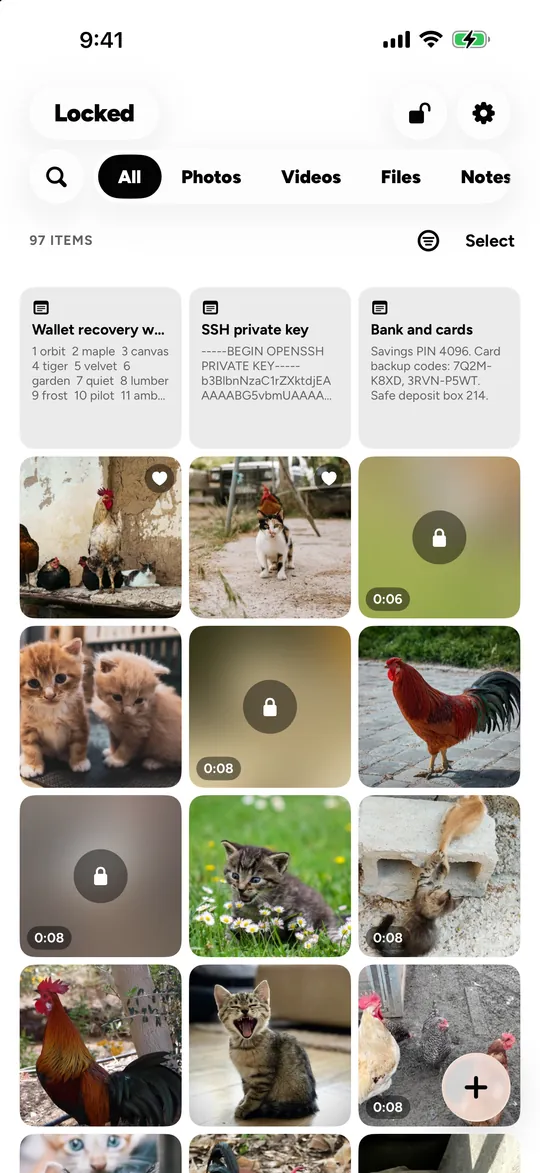
Locked has notes for what you would not write in a regular notes app: recovery words for a crypto wallet, account details, door codes, private thoughts. A note in Locked is encrypted on your iPhone or iPad before it is saved, like every photo and file in the vault, and opens only with that vault’s pattern or password. There is no account and no server holding your text.
Why keep notes in a vault and not in Notes?
A regular notes app opens with the phone. A note in Locked opens only with the vault’s own pattern or password, and in a different vault it does not exist at all.
There is also no account behind it: Locked has no server that holds your notes, so there is nothing to sign in to, phish or breach.
How many notes can I keep?
Without Locked Pro, 10 notes, shared across every vault on the device. Locked Pro has no limit on items.
Questions
Is it safe to keep a seed phrase in Locked?
It is encrypted on the device and never leaves it unless you turn on iCloud Sync, which stores only encrypted files in your own iCloud Drive. One rule still applies: Locked’s own 12 recovery words belong on paper or in a password manager, never in a note inside the vault they open.
Can I lock a single note?
Every note in Locked is locked: it lives in a vault, and the vault opens only with its pattern or password.
Related
- File vault PDFs, scans, archives: any file, encrypted with its own key.
- Pattern and password A pattern on a 5 × 5 grid or a password. No Face ID, on purpose.
- Decoy vaults Give a different pattern, get a different vault. A wrong one shows an empty vault.
Every algorithm, parameter and limit: security. All features: features.
Locked for iPhone and iPad.
Coming soon