Find the text in your photos, on your device
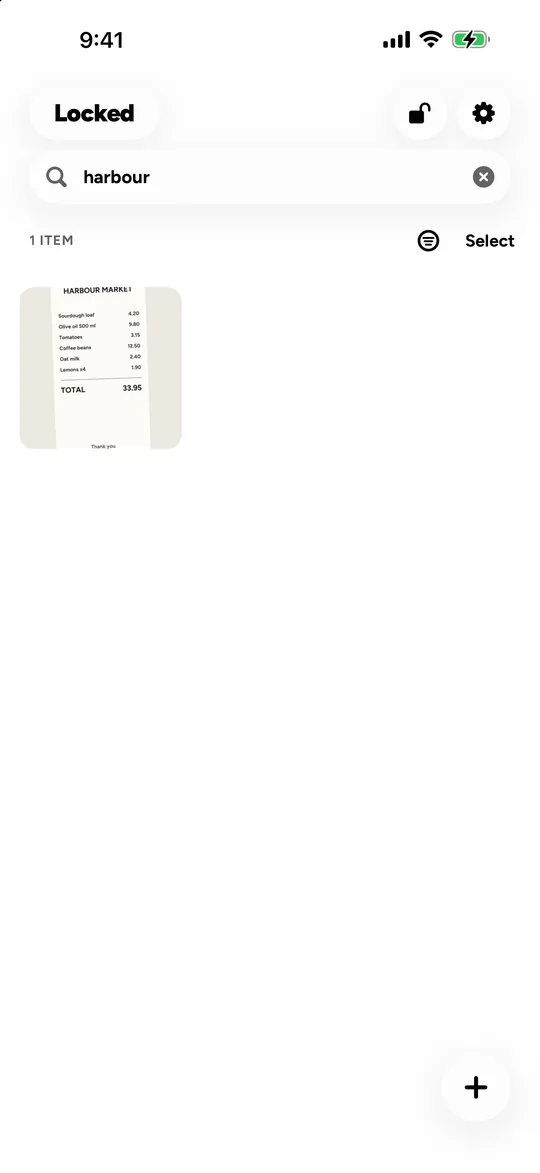
Locked can find a photo by the words in it. When you import a receipt, a scan or a screenshot, Locked reads its text on your iPhone or iPad, and search finds it, along with names and tags. Nothing is sent to a server, and what search knows is kept in the vault’s encrypted index. Scene labels, such as “beach”, are in English only.
Where does the text recognition happen?
On the device, using iOS’s own text and scene recognition. The photo never leaves your iPhone or iPad to be read.
Is the search index private?
Yes. The recognised text, names and tags live only in the vault’s encrypted index, so they are as protected as the photos themselves.
Which languages does it read?
Search covers names, tags and recognised text. Scene labels, the words that describe what is in a photo, are English only.
Questions
Can I search across all my vaults?
No. Search looks inside the vault you have open; the others stay closed.
Does search need an internet connection?
No. It runs on the device.
Related
- Photo and video vault Photos and videos, each encrypted with its own key, in albums only you can open.
- File vault PDFs, scans, archives: any file, encrypted with its own key.
- Private notes Recovery words, account details, private thoughts: notes nobody else can read.
Every algorithm, parameter and limit: security. All features: features.
Locked for iPhone and iPad.
Coming soon